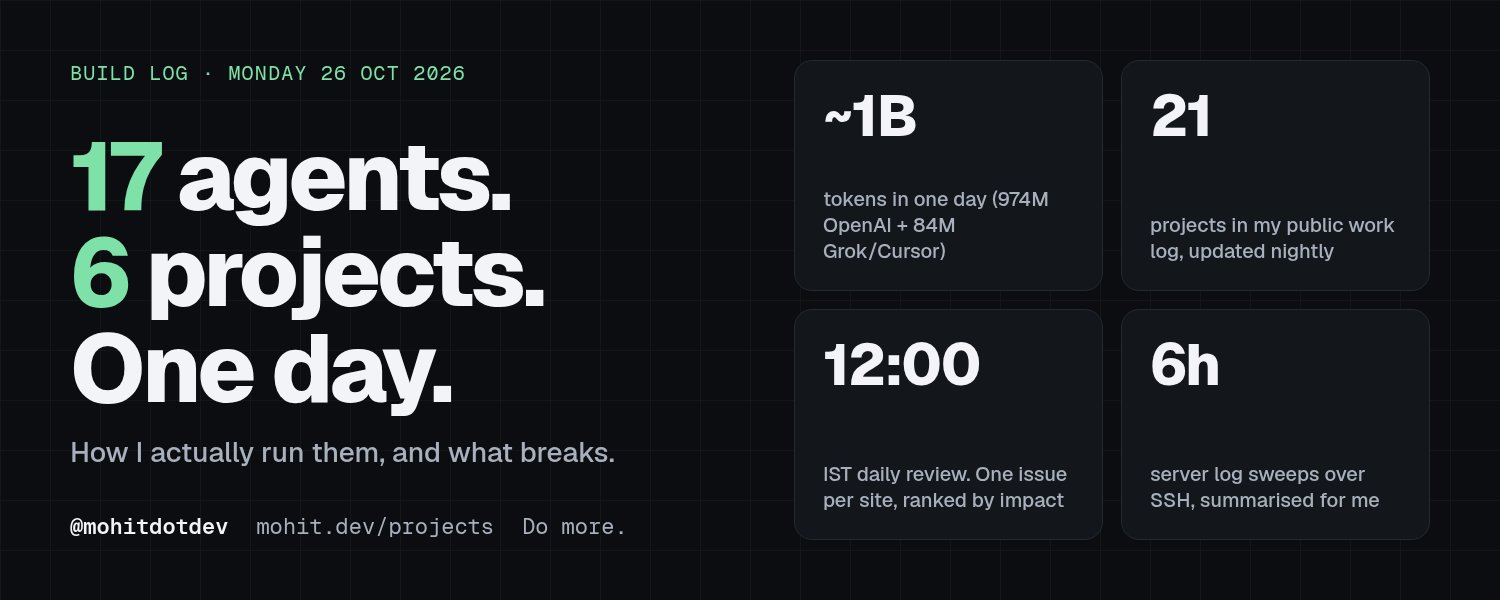
On Monday, 26 October, I had 17 AI agent sessions running in parallel across six projects.
By that night, 80% of my weekly OpenAI quota was gone.
Most side projects don’t die from bad code. They die from neglect.
You start one. Two weeks later, you’ve forgotten it exists.
My public work log lists 21 products: games, a calendar, an expense tracker, a self-hostable backend, a school ERP, an AI news site and more. Agents are how I keep track. They don’t write all my code. They make sure nothing goes quiet without me noticing.
Here are the loops, the guardrails, and the things that break every week.
If you copy one thing, make it the noon review.
First, the 17 are sessions
Those 17 weren’t permanent bots. They were sessions working on separate tasks across the six projects that were hot that day.
I hand each session a task, let it run, and check in when it’s done or stuck. The projects and tasks change.
Behind those sessions, a standing roster of bots runs on its own schedule, whether I’m working or not.
The sessions make. The checkers check. Agents can do both jobs.
- Give yourself a review that happens every day
Every day at 12:00 IST, two agents go through four of my websites. Each proposes one meaningful change.
Two agents. Two proposals in total.
To copy it:
Schedule the review for the same time every day.
Ask each agent for exactly one change.
Log the issues in a CSV. Boring on purpose.
Rank them by business impact.
Start with one project. Expand once the loop works.
On day one, one agent caught a copy error. The other found a broken link. I’d been scrolling past both.
The useful side effect is the deadline. I now have a reason to fix things before noon, because tomorrow’s review is coming either way.
Agents can find 50 problems. Make them pick one.
- Make neglected projects visible
Every night, an agent summarises the git history across my projects and publishes it to mohit.dev/projects.
The page has a square for each project and day. A filled square means work was logged. The gaps show me which projects are going stale.
The setup is simple: git history as the source, an update scheduled for the end of the day, and one public page where everything lands.
I don’t have to write the daily update myself. I can see what’s being neglected at a glance.
- Watch the server. Keep the permissions tight.
Every six hours, an agent SSHes into my server, stores the logs locally and sends me a gist.
It has its own SSH key with limited permissions. It reads and reports. It doesn’t fix things on its own.
If you set this up, give the agent a dedicated key. Watch its network traffic so you can see which endpoints it talks to.
And add a disk saver that tells you when space is running out.
Mine went off twice in three days before the agent box went from 16 GB to 126 GB.
Disk is the boring killer.
- Turn the build log into a blog
I’d let my blog die. An agent brought it back.
The articles mirror what I post on X, so writing once counts twice.
The setup:
A securely stored GitHub token so the agent can open PRs.
Images uploaded to R2.
A cache purge after each merge.
An SEO agent beside it for backlinks, OG images and discoverability.
It added OG images, RSS and Google Analytics, and submitted backlinks. I did most of that during a walk in the park.
The stack behind it
Codex does almost all the coding. I’m on the $200 plan.
Grok Bot handles recurring jobs: scheduled checks, research, server chores and anything that has to happen at 12:00 IST whether I’m awake or not. Dot handles some recurring work too, including the nightly projects page. Cursor fills the gaps.
For every product I build, my rule is: MCP, CLI and webhooks first.
If an agent can’t drive it, it isn’t finished.
My calendar mmddyy, my expense tracker BalanceSheet and Blupp all ship with a CLI and MCP. Even my static site serves Markdown: send Accept: text/markdown and you get the clean version. There’s also /llms.txt. It’s a static site with one Cloudflare Worker.
The standing roster includes:
Watchers: SSH logs, disk space, usage graphs and quota-reset alerts.
Publishers: Times of AI has a researcher, writer, editor, cover artist, marketer and engineer. Each piece moves down the line.
Operators: A Telegram inbox assistant, a chief-of-staff morning digest, a “CEO” agent keeping Widyaa’s priorities together, and a router that hands tasks to the right agent.
The router saves me having to remember who does what.
Keys need their own guardrails
Agents need keys. Never paste a secret into chat.
My favourite pattern: the agent shows a secure input field, I type the secret once, and it goes into a vault. 10/10 DX.
Tools without a vault push you back to GitHub secrets or env files. That’s a real gap.
Check your preview environments too. Cloudflare preview builds wiped my secrets more than once.
Separate keys. Limited scope. Read before write.
Your quota is your uptime
By Monday night, my combined token tally had passed a billion.
I was 26 million short on OpenAI alone. The 84 million on Grok and Cursor took the combined total past it.
Running out of capacity gets old quickly.
I’ve used half a weekly quota in a single day. Research exhausted a premium plan’s bot quota in two days, and a $20 top-up was gone in hours. I’ve upgraded subscriptions to stop getting stuck every third day.
Three rules keep the work moving:
Give every recurring job another tool it can run on. When one hits its limit, I hand the task to another.
Track usage. I have an alert for quota resets, and I built Tokage, a menu-bar app for local Codex token usage.
Prioritise code and checks. Research and chores burn quota fast. Spend it where the work creates value.
What breaks every week
Agents get stuck. Codex sits on “working…” with nothing happening, or a bot hangs mid-task. You need a watcher for the watchers, or a habit of checking.
Agents ignore instructions. I’ve had skills ignored and runs killed by network-permission errors.
Agents make things up. One invented a person’s name in a draft.
My instructions cause problems too. I told a tracker “Monday to Friday only,” then assumed it was broken when it went quiet at the weekend.
Mobile is rough. Webhook deep links that work on desktop fail on my phone.
Updates land at the worst time. One morning, macOS, Xcode and Codex were all updating, and nothing moved.
Each failure is a reason to add a check.
Push back on the model. Challenge its work. Running more sessions gives you more work to review.
Start with one loop
I posted the billion-token number because it’s fun. It isn’t the score. Engineering is about impact.
Copy the noon review this week.
One project. Two agents. One proposed change each.
I’ve posted the build log on X daily for months. Follow @mohitdotdev for what ships, what breaks, and the checks I add after each failure.
Every project is at mohit.dev/projects.